


info@PresentationPoint.com
  • Facebook
  • Twitter
  • RSS
  • YouTube
  • LinkedIn
  • Facebook
  • Twitter
  • RSS
  • YouTube
  • LinkedIn
  • Reviews
  • Support
  • Resellers
  • Media kit
  • My Account
  • Contact
  • Sites
    • INSYNCR
    • ConnectedCompany.app
    • SignageTube.com
    • SplitFlapTV.com
0 Items
PresentationPoint
  • Solutions
    • Automated Reporting
    • Corporate Communication
    • Event Digital Calendars
    • Live Data Presentations
    • KPI Dashboards
    • Restaurant Digital Signage
    • Waiting Room Signage
    • Custom Data Services
  • Software
    • DataPoint
    • SignageTube
    • iPoint
    • ConnectedCompany
  • Case Studies
    • Index
    • Attractions and Events
    • Digital Signage Solutions
    • Financial
    • Food and Beverage
    • Healthcare
    • Marketing and Advertising
    • Retail
  • Blog
  • Resources
  • About
Select Page
Webinar Recording: Event Promotion Using PowerPoint

Webinar Recording: Event Promotion Using PowerPoint

May 31, 2021 | Articles, Attractions and Events, Evergreen, Tutorials

Here is a recording of our recent webinar, “Event Promotion Using PowerPoint.” PowerPoint Create as Video: Quality and File Size How to Hide Video Media Controls on Slideshows FAQ: Should I Export Presentation to 4K Video? Voter Turnout Personalized Videos...
Webinar Recording: PowerPoint for Video Production

Webinar Recording: PowerPoint for Video Production

Feb 9, 2021 | Articles, Tutorials

By popular demand, here is a recording of Chantal Bossé’s recent webinar she taught for our members – “PowerPoint for Video Production.” Please hit the like and subscribe buttons on our YouTube channel to encourage us to continue creating...

Webinar Recording: Cool New PowerPoint Functions in Office 365

Webinar Recording: Cool New PowerPoint Functions in Office 365

Nov 20, 2020 | Articles, Tutorials

Here is a recording of Richard Goring’s fantastic “Cool New PowerPoint Functions in Office 365” webinar he taught for our PresentationPoint audience. In addition to his great teaching we caught on video, Richard has also generously provided us with a...
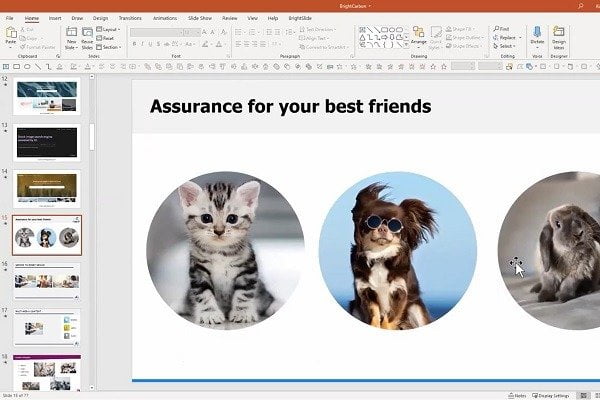
Masterclass in PowerPoint Design

Masterclass in PowerPoint Design

Jul 11, 2020 | Articles, DataPoint Automation, Tutorials

Here is the recording of Richard Goring’s “Masterclass in PowerPoint Design” presentation at our Presentation Ideas Europe 2020 online conference.  About PresentationPoint Case Studies: How People Use Our Software Presentation Ideas Europe No More...
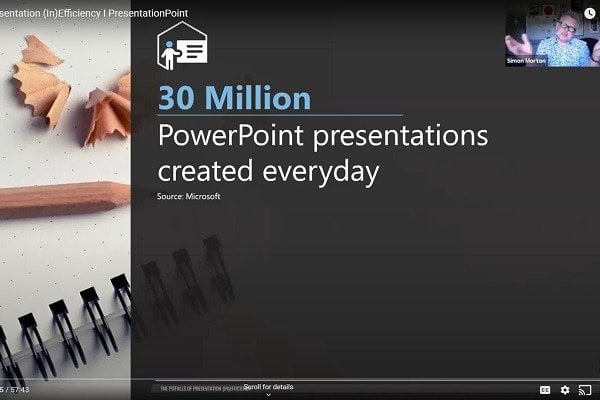
The Pitfalls of Presentation (In)Efficiency

The Pitfalls of Presentation (In)Efficiency

Jul 4, 2020 | Articles, DataPoint Automation, Tutorials

Here is a recording of Simon Morton’s presentation from our 2020 Presentation Ideas Europe online conference – The Pitfalls of Presentation (In)Efficiency. About PresentationPoint Case Studies: How People Use Our Software Presentation Ideas Europe No More...

Creating KPI Dashboards in PowerPoint • Garland Coulson

Creating KPI Dashboards in PowerPoint • Garland Coulson

Dec 12, 2019 | Articles, Data Dashboards, DataPoint Automation, DataPoint Real-time Screens, Tutorials

Here is a recording of Garland Coulson’s presentation from our 2019 Presentation Ideas Conference. Creating KPI Dashboards in PowerPoint You use dashboards every day you drive your car. Your car dashboard monitors speed, fuel, engine temperature and other key...

Taking Advantage of Artificial Intelligence with PowerPoint O365 • Chantal Bossé

Taking Advantage of Artificial Intelligence with PowerPoint O365 • Chantal Bossé

Dec 10, 2019 | Articles, How-To, Tutorials

Here is a recording Chantal Bossé’s presentation from our 2019 Presentation Ideas Conference. Taking Advantage of Artificial Intelligence with PowerPoint O365 Few people realize that AI is also a part of their PowerPoint O365 tool. In this session we will see 3...

7 Ways To Create Highly Versatile Non-Linear Presentations • Justin Arnold

7 Ways To Create Highly Versatile Non-Linear Presentations • Justin Arnold

Dec 9, 2019 | Articles, How-To, Tutorials

Here is a recording of Justin Arnold’s presentation from our Presentation Ideas 2019 Conference. 7 Ways To Create Highly Versatile Non Linear Presentations So you learned PowerPoint so well you could do it backwards? Well why does every presentation start at the...

Generating Reports Using PowerPoint • Kurt Dupont

Generating Reports Using PowerPoint • Kurt Dupont

Dec 6, 2019 | Articles, DataPoint, DataPoint Automation, DataPoint Real-time Screens, How-To, Reporting, Tutorials

Here is a recording of Kurt Dupont’s presentation at our Presentation Ideas 2019 Online Conference. Generating Reports Using PowerPoint When you think of business reports, you probably think of Microsoft Excel or Microsoft Word, not PowerPoint. If so, you are...

9 Techniques to Make Your Presentations Modern – Ellen Finkelstein

9 Techniques to Make Your Presentations Modern – Ellen Finkelstein

Jan 5, 2019 | Articles, Tutorials

Here is a recording of Ellen Finkelstein’s wonderful presentation from our Presentation Ideas Conference 2018. 9 Techniques to Make Your Presentations Modern — So You Don’t Look So Old! When you have millennials in your audience, you don’t want your...
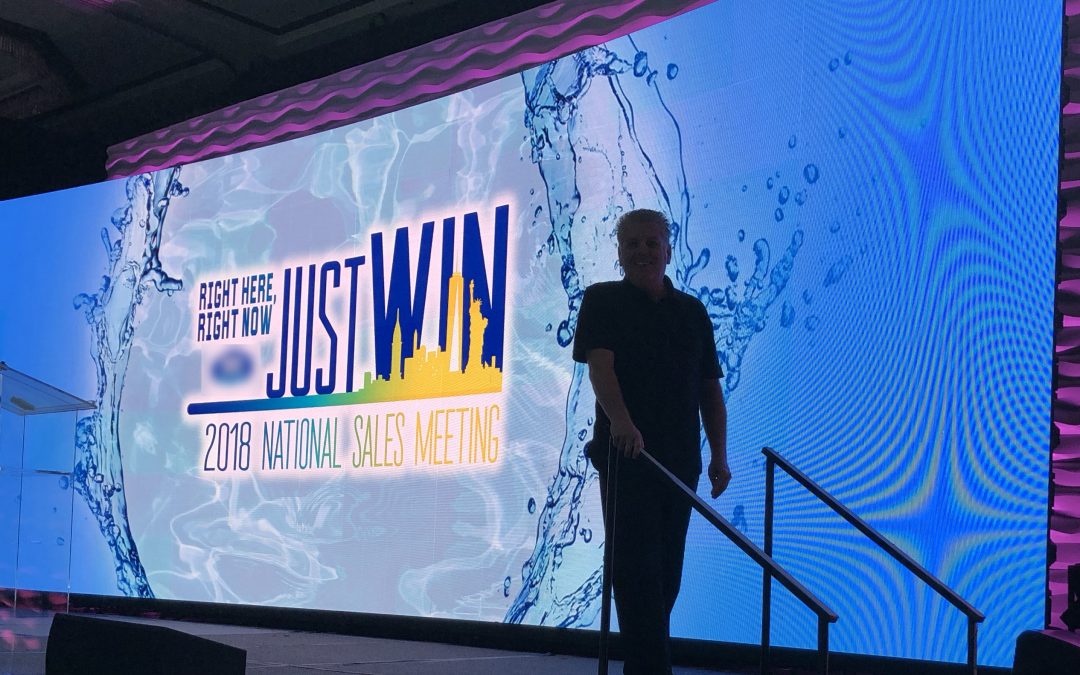
Really Really Big PowerPoint (Screen Size – not file size) with Troy Chollar

Really Really Big PowerPoint (Screen Size – not file size) with Troy Chollar

Dec 22, 2018 | Articles, DataPoint Real-time Screens, Tutorials

Here is a recording of Troy Chollar’s fantastic presentation from our Presentation Ideas Conference 2018. 40′ tall and 200′ wide, no problem for PowerPoint – if you know how! PowerPoint is behind a lot of multi-screen, large screen multimedia productions – it’s...

PowerPoint’s Zoom Feature: Your Key to Audience Engagement with Chantal Bossé

PowerPoint’s Zoom Feature: Your Key to Audience Engagement with Chantal Bossé

Dec 5, 2018 | Articles, Tutorials

Here is Chantal Bossé’s excellent presentation on the PowerPoint Zoom feature from our Presentation Ideas Online Conference 2018. Ever dreamed of being able to adapt your presentation content to your audience’s needs? Or skip some content altogether because you...

Search

Categories

  • Articles
  • Attractions and Events
  • Aviation
  • Broadcasting
  • Case Studies
  • CounterPoint
  • Data Dashboards
  • DataPoint
  • DataPoint Automation
  • DataPoint Real-time Screens
  • Digital Signage
  • Dynamic elements
  • Education
  • Elections
  • Evergreen
  • FAQ
  • Financial
  • Food & Beverage
  • Government
  • Healthcare
  • Hotel
  • How-To
  • Human Resources
  • Industrial/Manufacturing
  • Interoffice Communication
  • iPoint
  • Logistics
  • Makeovers
  • Maps
  • Marketing and Advertising
  • Merge
  • MessagePoint
  • Military or Defense
  • Non-profit
  • QR Codes
  • Real Estate
  • Reporting
  • Retail
  • Scoreboards
  • Service reports
  • SignageTube
  • TickerPoint
  • Transportation
  • Tutorials
  • VideoPoint
  • Wayfinding
  • Weather

Recent Posts

  • Beyond Numbers: Telling Your Business Story with Compelling KPI Dashboards
  • Real-Time Scoreboards in PowerPoint: Boost Engagement with DataPoint Integration
  • Mastering Data Presentation: The Synergy of PowerPoint and DataPoint
  • Automated Data Reporting: Saving Time and Reducing Errors
  • How to Save Time Copying and Pasting Digital Information onto PowerPoint Presentations and Reports
  • Streamline Your Presentations: Creating Dynamic Dashboards with DataPoint in PowerPoint
  • From Hours to Minutes: DataPoint’s Game-Changing Approach to Automated Financial Reporting
  • Unlock Real-Time Insights: The Power of Live Dashboards for Your Business
  • Transform Your Presentations: Harness Live Data with DataPoint
  • From Slides to Documents: How DataPoint Transforms PowerPoint into a Document Maker
  • From Spreadsheets to Spectacle: Create Stunning Database Dashboards
  • Real-Time information for Police Air Support Team
  • The Future of Menus: How Surge Pricing Can Boost Your Restaurant’s Revenue
  • The Future of Documentation: Exploring Automated Document Makers
  • Data Storytelling: The Secret Weapon for Impactful Business Reports
  • Work Smart: Automatically Update PowerPoint Slide Notes with DataPoint
  • Why Smart Businesses Are Switching to Automated Reporting (And You Should Too)
  • Use DataPoint’s Real-Time Dashboards Capability to Unlock the Power of Live Data
  • Stop The Madness of Copy and Paste Data for PowerPoint Presentations and Reports
  • The Revolution of Business Communication: Embracing Digital Signage Over Traditional Paper Displays

Archives

  • December 2024
  • November 2024
  • October 2024
  • September 2024
  • August 2024
  • July 2024
  • June 2024
  • May 2024
  • April 2024
  • February 2024
  • January 2024
  • December 2023
  • November 2023
  • October 2023
  • September 2023
  • August 2023
  • July 2023
  • June 2023
  • May 2023
  • April 2023
  • March 2023
  • January 2023
  • November 2022
  • October 2022
  • September 2022
  • July 2022
  • June 2022
  • May 2022
  • April 2022
  • March 2022
  • February 2022
  • January 2022
  • December 2021
  • November 2021
  • October 2021
  • September 2021
  • August 2021
  • July 2021
  • June 2021
  • May 2021
  • April 2021
  • March 2021
  • February 2021
  • January 2021
  • December 2020
  • November 2020
  • October 2020
  • September 2020
  • August 2020
  • July 2020
  • June 2020
  • May 2020
  • April 2020
  • March 2020
  • February 2020
  • January 2020
  • December 2019
  • November 2019
  • October 2019
  • September 2019
  • August 2019
  • July 2019
  • June 2019
  • May 2019
  • April 2019
  • March 2019
  • February 2019
  • January 2019
  • December 2018
  • November 2018
  • October 2018
  • September 2018
  • August 2018
  • July 2018
  • June 2018
  • May 2018
  • April 2018
  • March 2018
  • February 2018
  • January 2018
  • December 2017
  • November 2017
  • October 2017
  • September 2017
  • August 2017
  • July 2017
  • June 2017
  • May 2017
  • April 2017
  • March 2017
  • February 2017
  • January 2017
  • December 2016
  • November 2016
  • October 2016
  • September 2016
  • August 2016
  • July 2016
  • June 2016
  • May 2016
  • April 2016
  • March 2016
  • February 2016
  • January 2016
  • December 2015
  • November 2015
  • October 2015
  • September 2015
  • August 2015
  • July 2015
  • June 2015
  • May 2015
  • April 2015
  • March 2015
  • February 2015
  • January 2015
  • December 2014
  • November 2014
  • October 2014
  • September 2014
  • May 2014
  • April 2014
  • March 2014
Celebrating 25 years of PresentationPoint

Subscribe To Our Newsletter

Join our mailing list to receive the latest news and updates from our team.

You can unsubscribe anytime. For more details, review our Privacy Policy.

Thank you!

You have successfully joined our subscriber list.

.

Recent Posts

  • Beyond Numbers: Telling Your Business Story with Compelling KPI Dashboards
  • Real-Time Scoreboards in PowerPoint: Boost Engagement with DataPoint Integration
  • Mastering Data Presentation: The Synergy of PowerPoint and DataPoint
  • Automated Data Reporting: Saving Time and Reducing Errors
  • How to Save Time Copying and Pasting Digital Information onto PowerPoint Presentations and Reports
  • Streamline Your Presentations: Creating Dynamic Dashboards with DataPoint in PowerPoint
  • From Hours to Minutes: DataPoint’s Game-Changing Approach to Automated Financial Reporting
  • Unlock Real-Time Insights: The Power of Live Dashboards for Your Business
  • Transform Your Presentations: Harness Live Data with DataPoint
  • From Slides to Documents: How DataPoint Transforms PowerPoint into a Document Maker

Follow Us

  • Facebook
  • YouTube
  • LinkedIn

Copyright Notice

BreakPoint, ConnectedCompany, CounterPoint, DataPoint, Dynamic ELEMENTS, iPoint, MessagePoint, NewsPoint, Numberish, OutlookPoint, PlanPoint, ShowPoint, SignageTube, Split-Flap TV, TickerPoint and VideoPoint are trademarks or registered trademarks of PresentationPoint. Microsoft and the Office logo are trademarks or registered trademarks of Microsoft Corporation in the United States and/or other countries.
  • Sitemap
  • Terms and Conditions
  • Privacy Policy
  • Facebook
  • Twitter
  • RSS
  • YouTube
  • LinkedIn

INSYNCR

We’ve Evolved Into Something Bigger

PresentationPoint has been acquired by INSYNCR, and we’re now powering next-generation solutions across multiple platforms. Your trusted partner has grown stronger, and we’re here to serve you better than ever.

INSYNCR

Automated reporting and data visualization solutions

SignageTube

Real-time digital signage solutions and display management

Split-Flap TV

Concept-specific digital signage solutions and display management

We are using cookies to give you the best experience on our website.

You can find out more about which cookies we are using or switch them off in .

PresentationPoint
Powered by  GDPR Cookie Compliance
Privacy Overview

This website uses cookies so that we can provide you with the best user experience possible. Cookie information is stored in your browser and performs functions such as recognising you when you return to our website and helping our team to understand which sections of the website you find most interesting and useful.

Strictly Necessary Cookies

Strictly Necessary Cookie should be enabled at all times so that we can save your preferences for cookie settings.