
info@PresentationPoint.com
  • Facebook
  • Twitter
  • RSS
  • YouTube
  • LinkedIn
  • Facebook
  • Twitter
  • RSS
  • YouTube
  • LinkedIn
  • Reviews
  • Support
  • Resellers
  • Media kit
  • My Account
  • Contact
  • Sites
    • INSYNCR
    • ConnectedCompany.app
    • SignageTube.com
    • SplitFlapTV.com
0 Items
PresentationPoint
  • Solutions
    • Automated Reporting
    • Corporate Communication
    • Event Digital Calendars
    • Live Data Presentations
    • KPI Dashboards
    • Restaurant Digital Signage
    • Waiting Room Signage
    • Custom Data Services
  • Software
    • DataPoint
    • SignageTube
    • iPoint
    • ConnectedCompany
  • Case Studies
    • Index
    • Attractions and Events
    • Digital Signage Solutions
    • Financial
    • Food and Beverage
    • Healthcare
    • Marketing and Advertising
    • Retail
  • Blog
  • Resources
  • About
Select Page
From Hours to Minutes: DataPoint’s Game-Changing Approach to Automated Financial Reporting

From Hours to Minutes: DataPoint’s Game-Changing Approach to Automated Financial Reporting

Oct 30, 2024 | Articles, Evergreen, Financial

In the world of finance, time is not a mere commodity—it’s the backbone of success. The ability to swiftly gather, analyze, and report on financial data can mean the difference between riding ahead of the wave or being swallowed by the tide. DataPoint, a product...
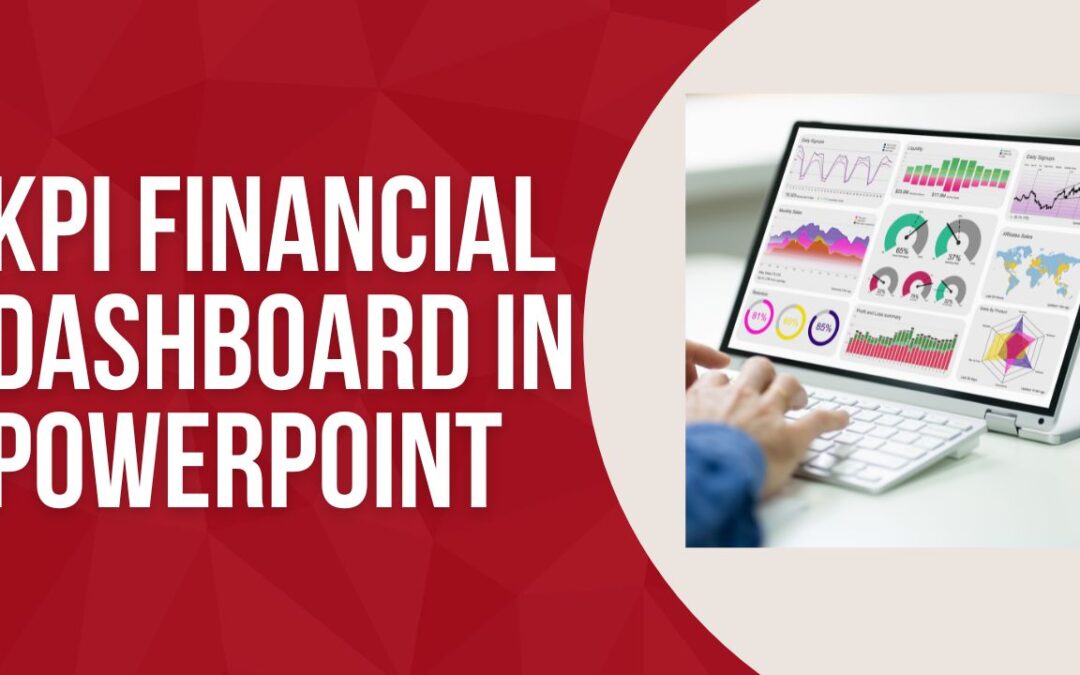
Create a Financial Dashboard to Monitor Key Business Metrics using Datapoint

Create a Financial Dashboard to Monitor Key Business Metrics using Datapoint

Jul 5, 2024 | Data Dashboards, DataPoint, Financial

In today’s fast-paced business environment, having access to real-time financial data is crucial for making informed decisions. Financial dashboards provide a visual representation of key business metrics, helping stakeholders monitor performance and identify...
Revolutionizing Financial Presentations: The Power of Real-Time Data with DataPoint

Revolutionizing Financial Presentations: The Power of Real-Time Data with DataPoint

Jun 26, 2024 | Articles, DataPoint, Financial, Reporting

In the fast-paced financial sector, where data drives decisions and accurate, up-to-the-minute information is non-negotiable, the ability to efficiently generate documents and presentations with the latest data is crucial. PresentationPoint’s DataPoint software...

Streamline Your Financial Reporting with DataPoint: A Real-Time PowerPoint Data Integration Tool

Streamline Your Financial Reporting with DataPoint: A Real-Time PowerPoint Data Integration Tool

May 29, 2024 | Articles, DataPoint, Financial, Reporting

Financial document automation facilitated by DataPoint works by enabling the seamless integration and real-time presentation of financial data within PowerPoint presentations, digital signage, and other documents. Here’s a breakdown of how it operates. 1. Create...
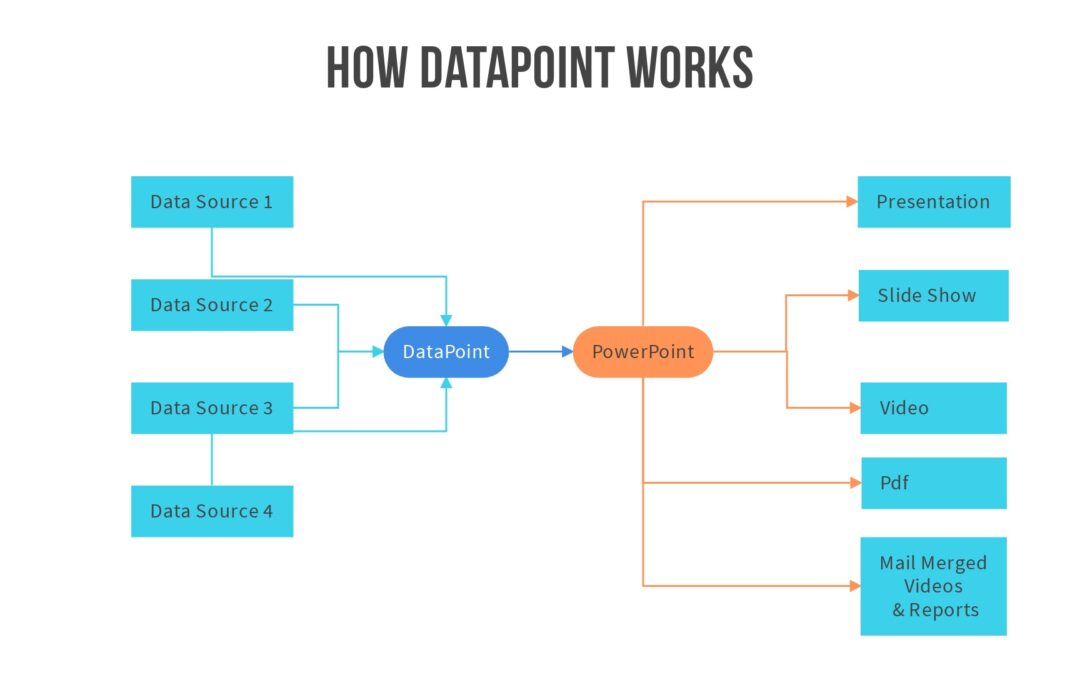
Data Integration Tool: Combine And Visualize Information

Data Integration Tool: Combine And Visualize Information

Mar 27, 2023 | Data Dashboards, DataPoint, DataPoint Automation, Financial, Reporting

Data is a key component of any business. The information you gather can be used to make important decisions, connect with new customers, and even show off to investors. But what do you do when you have multiple sources of data? How can you combine data from all your...
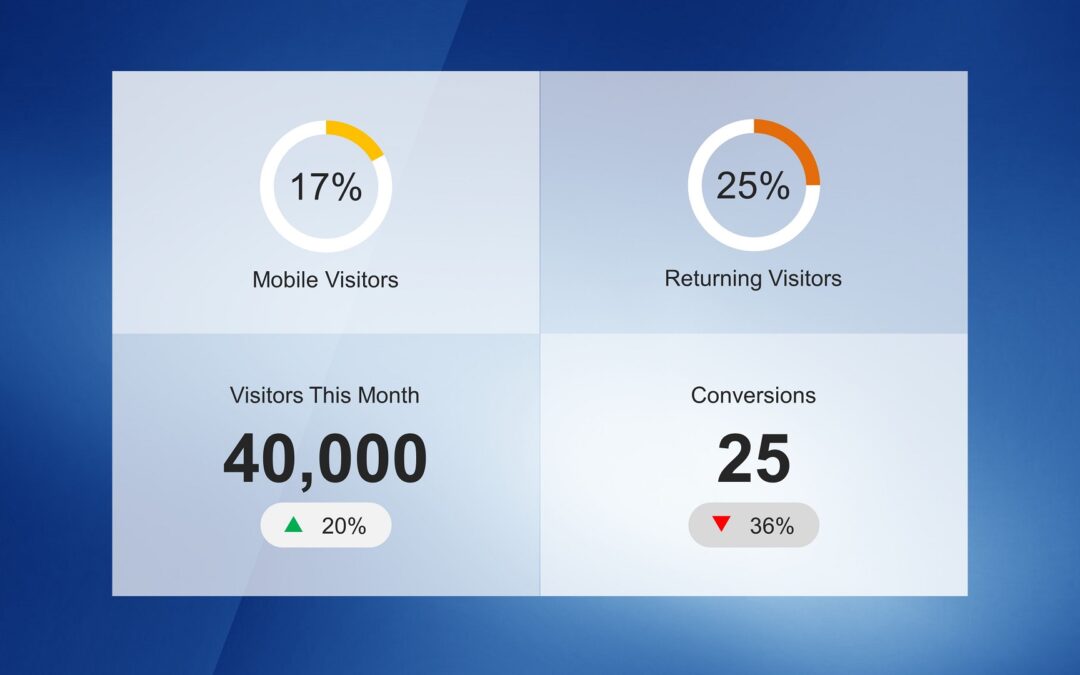
PowerPoint presentation to show Key Performance Indicators

PowerPoint presentation to show Key Performance Indicators

Mar 2, 2023 | Data Dashboards, DataPoint, Financial, Reporting

Key Performance Indicators (KPIs) are a great way to measure the performance of your business. They show how you’re doing against your goals and help you keep track of changes over time. KPI templates for a PowerPoint presentation can be used for many different...

Crypto Dashboard using PowerPoint

Crypto Dashboard using PowerPoint

Jun 21, 2021 | Articles, Data Dashboards, DataPoint, Evergreen, Financial

In this video, we explore how to create a crypto dashboard in PowerPoint to show real-time pricing of cryptocurrencies. See the video above to see the crypto dashboard in PowerPoint in action. The first step whenever you are creating a data-driven PowerPoint...

Live Crude Oil Price Dashboard in PowerPoint

Live Crude Oil Price Dashboard in PowerPoint

Jun 4, 2021 | Articles, DataPoint, DataPoint Real-time Screens, Evergreen, Financial

In this video, we are going to show you how to create a live crude oil price dashboard in PowerPoint using our DataPoint add-on for PowerPoint. Click on the video below to see our process. Live Crude Oil Price from Web URL Our first attempt was to gather the...

PowerPoint Navigation for Client Presentations

PowerPoint Navigation for Client Presentations

Jan 26, 2021 | Articles, Case Studies, DataPoint, DataPoint Automation, Evergreen, Financial

PowerPoint navigation is an underutilized feature. You can use navigation to create interactive presentations, kiosk presentations, directories and much more. Let’s explore how to use PowerPoint navigation to create a self-guided client presentations that your...

Queue Management System

Queue Management System

May 3, 2020 | Articles, Attractions and Events, CounterPoint, Financial, Food & Beverage, Healthcare

Streamlining your waiting queues is important for the well-being of your customers. It brings tranquility to your waiting area and it takes away stress. Imagine that you have to ask something, or arrange something. You go to that business or that location. That can be...

Report Generating Using PowerPoint Case Study – HPE

Report Generating Using PowerPoint Case Study – HPE

Mar 28, 2020 | Case Studies, Data Dashboards, DataPoint, DataPoint Automation, Evergreen, Financial, Reporting

In this real-life case study, we explore how Hewlett Packard Enterprise uses our DataPoint software for report generating using PowerPoint. The Report Generating Problem Here is a quote from Nicole Mitchell, Customer Experience with Hewlett Packard Enterprise as to...
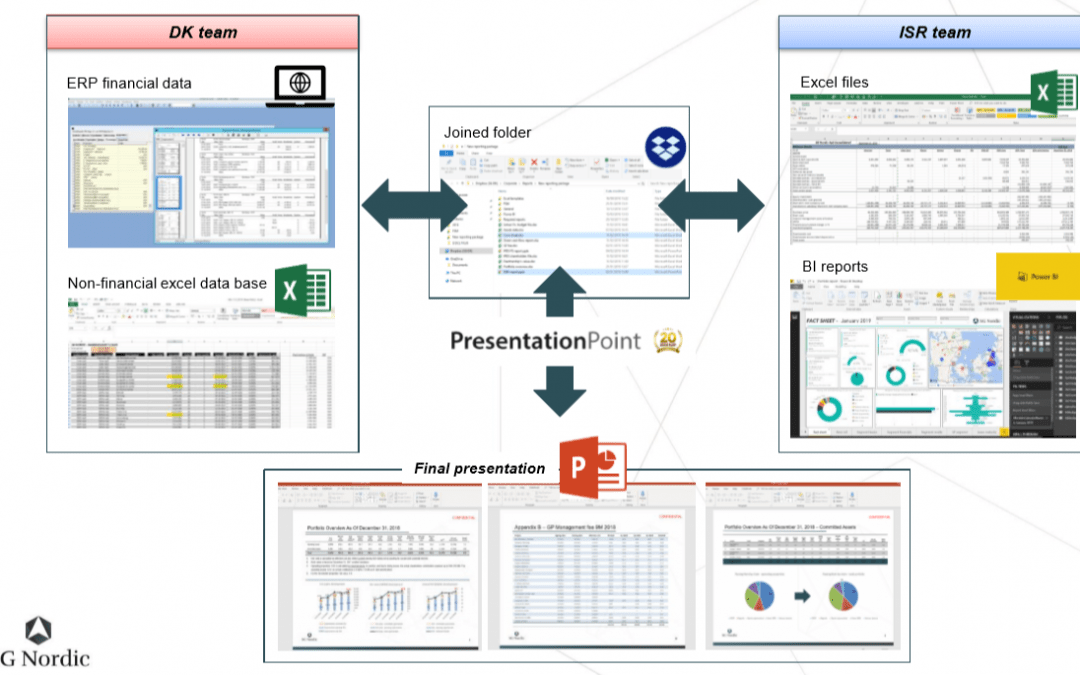
Reporting Software PowerPoint: SG Nordic Case Study

Reporting Software PowerPoint: SG Nordic Case Study

Oct 12, 2019 | Articles, Case Studies, Data Dashboards, DataPoint, DataPoint Automation, Evergreen, Financial, Government, Reporting

In this article and video, we are going to look at a real-life case study showing how PowerPoint can be used as reporting software. Thank you to Chen Buber, CFO of SG Nordic for taking the time to provide us with details of his process and how he is using DataPoint to...

FAQ: How Do I Add A Ticker Symbol Using DataPoint?

FAQ: How Do I Add A Ticker Symbol Using DataPoint?

May 25, 2019 | DataPoint, DataPoint Real-time Screens, FAQ, Financial

How do I add a ticker symbol using DataPoint? Something like this where it would auto update and we could do several other companies… BP We were recommending the Yahoo API for that earlier, but Yahoo has been shutting down some data services. We have found another...
Reception Area Comfort Tips

Reception Area Comfort Tips

Apr 22, 2018 | Articles, Attractions and Events, DataPoint Real-time Screens, Financial, Healthcare

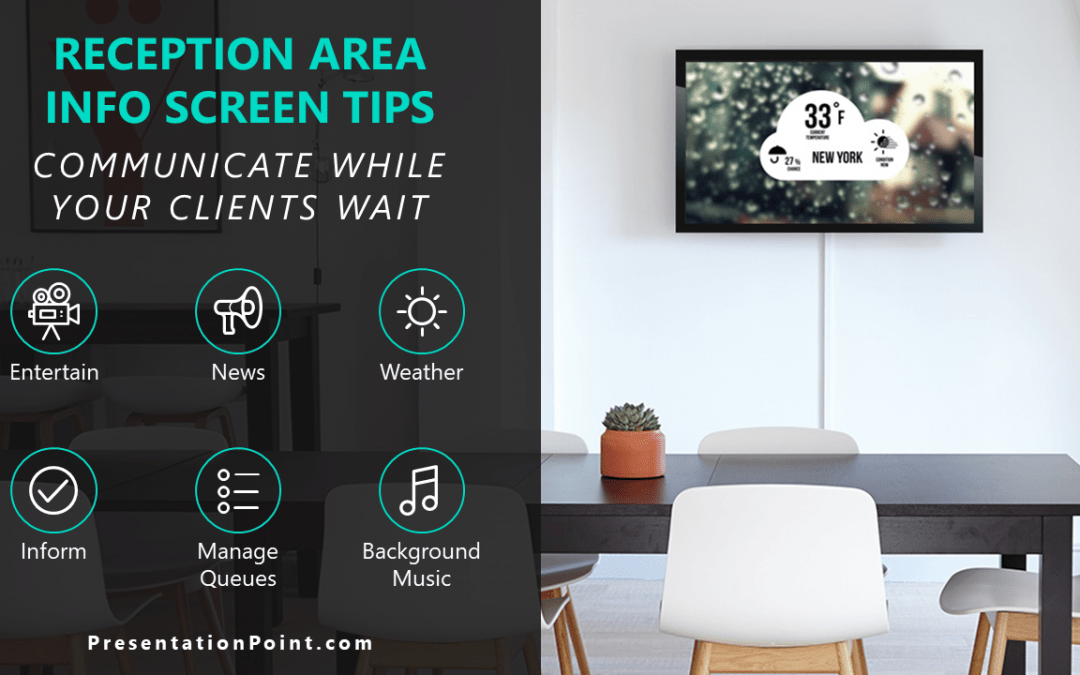
Waiting rooms are common. Doctor offices, business offices, banks, hospitals and government offices all have places where clients are forced to wait to be helped. In this article, we will give you Reception Area Comfort Tips so you can keep your clients happy and...

How a Financial Services Company Automates Presentations

How a Financial Services Company Automates Presentations

Mar 11, 2018 | Case Studies, Evergreen, Financial, Reporting

Our favorite thing of all is to find out how our customers are using our software. Our customers are amazingly creative and often come up with uses for our software we hadn’t thought of. In this article, we interview our customer Kevin Galandy, President...
PowerPoint Business Hours Template

PowerPoint Business Hours Template

Apr 17, 2017 | Articles, Attractions and Events, Financial, Food & Beverage, Retail

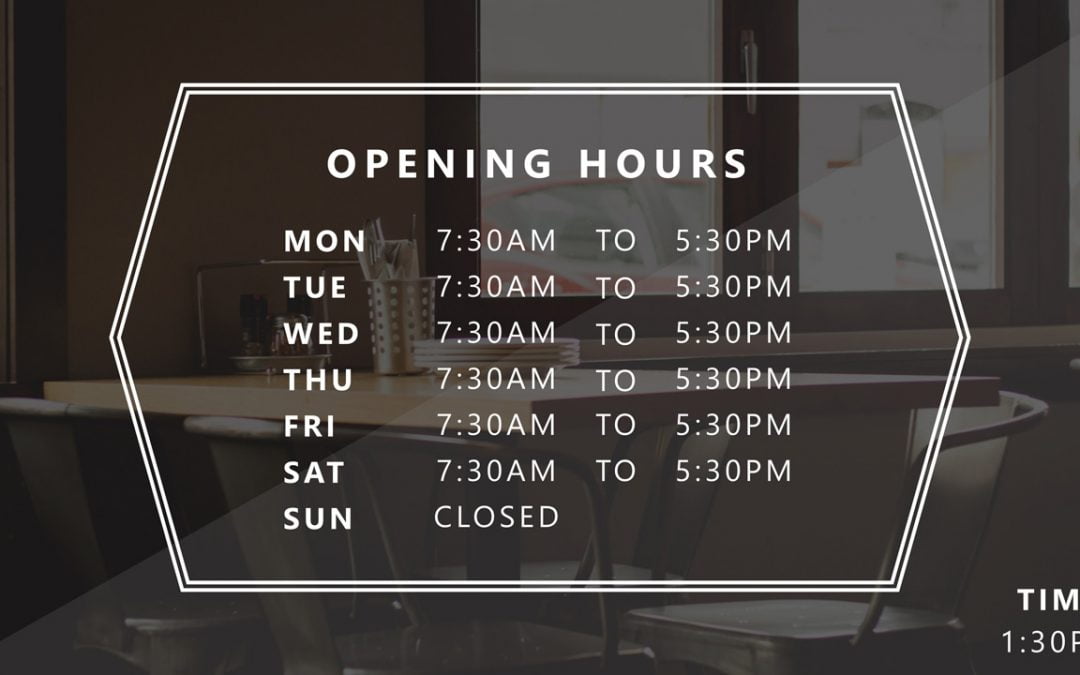
The template includes 10 unique slides so you can choose the one that best fits your business. The business hours templates are fully editable, so you can easily make changes if your hours change. If you have multiple locations, you can use DataPoint to automatically...

Top Reasons to Use a Welcoming Screen At the Entrance of Your Business

Top Reasons to Use a Welcoming Screen At the Entrance of Your Business

Feb 9, 2017 | Articles, Attractions and Events, DataPoint, Financial, Healthcare, iPoint, Marketing and Advertising, Retail

Lobby digital welcoming screens offer you an innovative hotspot for informing your clients, growing your brand, all while helping you to save money, time and hassles as compared to the traditional signage. Using the right display software, it is easy to setup and...

PowerPoint Text To Speech using DataPoint

PowerPoint Text To Speech using DataPoint

Jan 13, 2017 | Attractions and Events, DataPoint, DataPoint Real-time Screens, Financial, Healthcare

We listen to our customers. That is for sure. This is a typical sample. After that we released our update notification sound earlier, a user was requesting PowerPoint text to speech capabilities. Believe it or not, less than 2 weeks later, it was implemented and...

Bluetooth Button for Queue Management Systems

Bluetooth Button for Queue Management Systems

Jan 11, 2017 | Articles, Attractions and Events, DataPoint, DataPoint Real-time Screens, Financial, Food & Beverage, Healthcare

Waiting rooms are common in government offices, medical facilities, banks, bakeries, butcher shops and other offices. Managing waiting queues effectively is critical to your customer and patient well-being. In this article, we will show you how to use a Bluetooth...

Waiting Queue Management System in PowerPoint

Waiting Queue Management System in PowerPoint

Dec 2, 2016 | Attractions and Events, DataPoint, DataPoint Real-time Screens, Financial, Food & Beverage, Healthcare, How-To, Retail

Our software is often used as queue management software for banks, attractions and waiting rooms. You enter the waiting area of a building and pick your number and then wait until your number is displayed.  With the number that you got from the ticket dispenser, you...

Hotel Digital Signage

Hotel Digital Signage

Aug 8, 2016 | Articles, DataPoint, Dynamic elements, Financial, Hotel, iPoint

Hotels are fast paced, ever-changing environments with new people and events every day. To keep up with hotel conferences, events and advertising, top hotels around the world are adding hotel digital signage to their facilities. Hotel digital signage displays...

BI Reporting Tools: PowerPoint

BI Reporting Tools: PowerPoint

May 3, 2016 | Articles, DataPoint, DataPoint Automation, Financial, Marketing and Advertising

When you think of Business Intelligence (BI) reporting tools, PowerPoint might not come to mind. Here are some great reasons why PowerPoint deserves to be in your kit of BI reporting tools. Ease of Use Data Connections Dashboarding Total Customization Add-Ons Ease of...
Display Stock Quotes in PowerPoint

Display Stock Quotes in PowerPoint

Mar 24, 2016 | DataPoint, DataPoint Real-time Screens, Financial

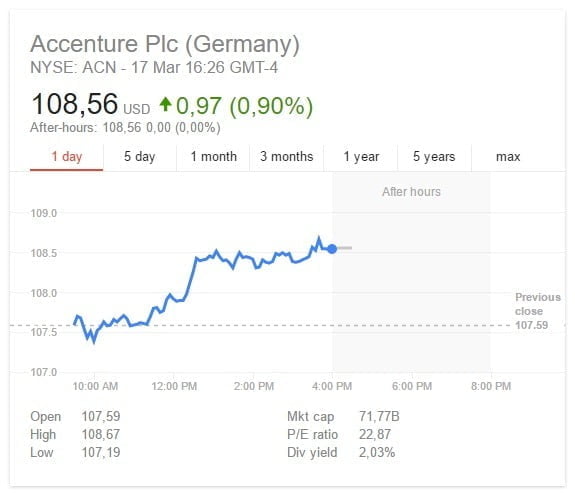
Stock Quotes Data Sources In today’s article we will show you, how you can create a real-time information screen for your company, where you display real-time stock quotes information on your monitor. DataPoint technology is used here, as a PowerPoint add-on, to...

Most Effective Waiting Queue Software

Most Effective Waiting Queue Software

Jan 12, 2016 | Articles, Attractions and Events, CounterPoint, Financial, Food & Beverage, How-To, Retail

We all know that this system is for waiting queues. You will see it at waiting areas, post offices, help desks, etc. When you enter the area, you will  take a number and you will wait till your number will be displayed on a LED display. This boring LED display is...

CounterPoint Queue Management System

CounterPoint Queue Management System

Dec 17, 2015 | Articles, Attractions and Events, CounterPoint, Financial, Food & Beverage, How-To, Retail

Dear Local business owner, Does Your Current Queue Management System Cost Too Much and Provide Too Little? Do you want to display much more than 2 digits to your waiting customers? Are you looking for a Professional Queue Management Solution that your business...

How Auction Houses Use Data Driven Presentations

How Auction Houses Use Data Driven Presentations

Nov 24, 2015 | Articles, Attractions and Events, Case Studies, Data Dashboards, DataPoint, DataPoint Real-time Screens, Financial, Reporting, Scoreboards

Critical data driven television output Most, if not all, auction houses use data driven presentations, like here on this image, a recent record-breaking auction at Sotheby’s. With a data driven and, more important, real-time presentation, you can display bidding...
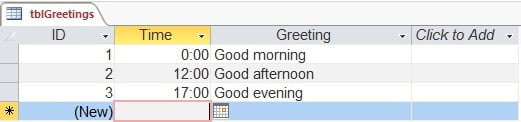
How to Set Up Real-Time Greetings in PowerPoint

How to Set Up Real-Time Greetings in PowerPoint

Aug 7, 2015 | Attractions and Events, DataPoint, DataPoint Real-time Screens, Financial, Healthcare

Today a very simple article on a mechanism that is frequently used on information screens when you enter a building like e.g. school, hospital or city hall. They welcome visitors with today’s date and time but also with a greeting in text like good morning, good...
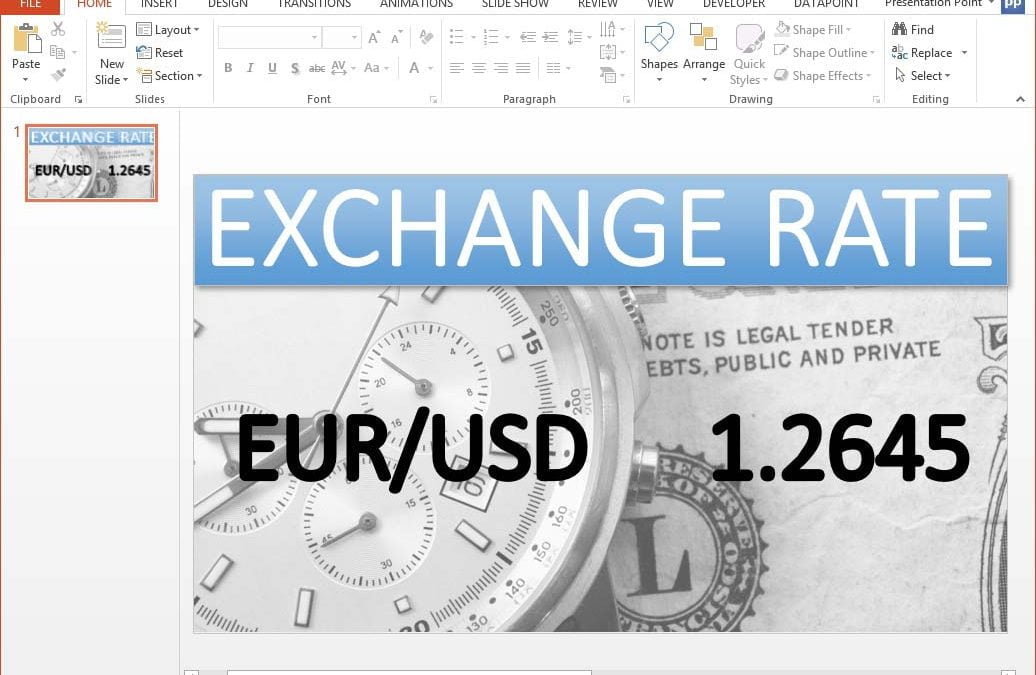
Now You Can Display Live Currency Exchange Rates on a Screen

Now You Can Display Live Currency Exchange Rates on a Screen

Oct 9, 2014 | DataPoint, Financial, How-To

Different currencies are used worldwide for business and travel. When you do business with another country you might have to deal with a different currency that you are used to use in your own country. To estimate a value you need to know the current exchange rate...

Search

Categories

  • Articles
  • Attractions and Events
  • Aviation
  • Broadcasting
  • Case Studies
  • CounterPoint
  • Data Dashboards
  • DataPoint
  • DataPoint Automation
  • DataPoint Real-time Screens
  • Digital Signage
  • Dynamic elements
  • Education
  • Elections
  • Evergreen
  • FAQ
  • Financial
  • Food & Beverage
  • Government
  • Healthcare
  • Hotel
  • How-To
  • Human Resources
  • Industrial/Manufacturing
  • Interoffice Communication
  • iPoint
  • Logistics
  • Makeovers
  • Maps
  • Marketing and Advertising
  • Merge
  • MessagePoint
  • Military or Defense
  • Non-profit
  • QR Codes
  • Real Estate
  • Reporting
  • Retail
  • Scoreboards
  • Service reports
  • SignageTube
  • TickerPoint
  • Transportation
  • Tutorials
  • VideoPoint
  • Wayfinding
  • Weather

Recent Posts

  • Beyond Numbers: Telling Your Business Story with Compelling KPI Dashboards
  • Real-Time Scoreboards in PowerPoint: Boost Engagement with DataPoint Integration
  • Mastering Data Presentation: The Synergy of PowerPoint and DataPoint
  • Automated Data Reporting: Saving Time and Reducing Errors
  • How to Save Time Copying and Pasting Digital Information onto PowerPoint Presentations and Reports
  • Streamline Your Presentations: Creating Dynamic Dashboards with DataPoint in PowerPoint
  • From Hours to Minutes: DataPoint’s Game-Changing Approach to Automated Financial Reporting
  • Unlock Real-Time Insights: The Power of Live Dashboards for Your Business
  • Transform Your Presentations: Harness Live Data with DataPoint
  • From Slides to Documents: How DataPoint Transforms PowerPoint into a Document Maker
  • From Spreadsheets to Spectacle: Create Stunning Database Dashboards
  • Real-Time information for Police Air Support Team
  • The Future of Menus: How Surge Pricing Can Boost Your Restaurant’s Revenue
  • The Future of Documentation: Exploring Automated Document Makers
  • Data Storytelling: The Secret Weapon for Impactful Business Reports
  • Work Smart: Automatically Update PowerPoint Slide Notes with DataPoint
  • Why Smart Businesses Are Switching to Automated Reporting (And You Should Too)
  • Use DataPoint’s Real-Time Dashboards Capability to Unlock the Power of Live Data
  • Stop The Madness of Copy and Paste Data for PowerPoint Presentations and Reports
  • The Revolution of Business Communication: Embracing Digital Signage Over Traditional Paper Displays

Archives

  • December 2024
  • November 2024
  • October 2024
  • September 2024
  • August 2024
  • July 2024
  • June 2024
  • May 2024
  • April 2024
  • February 2024
  • January 2024
  • December 2023
  • November 2023
  • October 2023
  • September 2023
  • August 2023
  • July 2023
  • June 2023
  • May 2023
  • April 2023
  • March 2023
  • January 2023
  • November 2022
  • October 2022
  • September 2022
  • July 2022
  • June 2022
  • May 2022
  • April 2022
  • March 2022
  • February 2022
  • January 2022
  • December 2021
  • November 2021
  • October 2021
  • September 2021
  • August 2021
  • July 2021
  • June 2021
  • May 2021
  • April 2021
  • March 2021
  • February 2021
  • January 2021
  • December 2020
  • November 2020
  • October 2020
  • September 2020
  • August 2020
  • July 2020
  • June 2020
  • May 2020
  • April 2020
  • March 2020
  • February 2020
  • January 2020
  • December 2019
  • November 2019
  • October 2019
  • September 2019
  • August 2019
  • July 2019
  • June 2019
  • May 2019
  • April 2019
  • March 2019
  • February 2019
  • January 2019
  • December 2018
  • November 2018
  • October 2018
  • September 2018
  • August 2018
  • July 2018
  • June 2018
  • May 2018
  • April 2018
  • March 2018
  • February 2018
  • January 2018
  • December 2017
  • November 2017
  • October 2017
  • September 2017
  • August 2017
  • July 2017
  • June 2017
  • May 2017
  • April 2017
  • March 2017
  • February 2017
  • January 2017
  • December 2016
  • November 2016
  • October 2016
  • September 2016
  • August 2016
  • July 2016
  • June 2016
  • May 2016
  • April 2016
  • March 2016
  • February 2016
  • January 2016
  • December 2015
  • November 2015
  • October 2015
  • September 2015
  • August 2015
  • July 2015
  • June 2015
  • May 2015
  • April 2015
  • March 2015
  • February 2015
  • January 2015
  • December 2014
  • November 2014
  • October 2014
  • September 2014
  • May 2014
  • April 2014
  • March 2014
Celebrating 25 years of PresentationPoint

Subscribe To Our Newsletter

Join our mailing list to receive the latest news and updates from our team.

You can unsubscribe anytime. For more details, review our Privacy Policy.

Thank you!

You have successfully joined our subscriber list.

.

Recent Posts

  • Beyond Numbers: Telling Your Business Story with Compelling KPI Dashboards
  • Real-Time Scoreboards in PowerPoint: Boost Engagement with DataPoint Integration
  • Mastering Data Presentation: The Synergy of PowerPoint and DataPoint
  • Automated Data Reporting: Saving Time and Reducing Errors
  • How to Save Time Copying and Pasting Digital Information onto PowerPoint Presentations and Reports
  • Streamline Your Presentations: Creating Dynamic Dashboards with DataPoint in PowerPoint
  • From Hours to Minutes: DataPoint’s Game-Changing Approach to Automated Financial Reporting
  • Unlock Real-Time Insights: The Power of Live Dashboards for Your Business
  • Transform Your Presentations: Harness Live Data with DataPoint
  • From Slides to Documents: How DataPoint Transforms PowerPoint into a Document Maker

Follow Us

  • Facebook
  • YouTube
  • LinkedIn

Copyright Notice

BreakPoint, ConnectedCompany, CounterPoint, DataPoint, Dynamic ELEMENTS, iPoint, MessagePoint, NewsPoint, Numberish, OutlookPoint, PlanPoint, ShowPoint, SignageTube, Split-Flap TV, TickerPoint and VideoPoint are trademarks or registered trademarks of PresentationPoint. Microsoft and the Office logo are trademarks or registered trademarks of Microsoft Corporation in the United States and/or other countries.
  • Sitemap
  • Terms and Conditions
  • Privacy Policy
  • Facebook
  • Twitter
  • RSS
  • YouTube
  • LinkedIn

INSYNCR

We’ve Evolved Into Something Bigger

PresentationPoint has been acquired by INSYNCR, and we’re now powering next-generation solutions across multiple platforms. Your trusted partner has grown stronger, and we’re here to serve you better than ever.

INSYNCR

Automated reporting and data visualization solutions

SignageTube

Real-time digital signage solutions and display management

Split-Flap TV

Concept-specific digital signage solutions and display management

We are using cookies to give you the best experience on our website.

You can find out more about which cookies we are using or switch them off in .

PresentationPoint
Powered by  GDPR Cookie Compliance
Privacy Overview

This website uses cookies so that we can provide you with the best user experience possible. Cookie information is stored in your browser and performs functions such as recognising you when you return to our website and helping our team to understand which sections of the website you find most interesting and useful.

Strictly Necessary Cookies

Strictly Necessary Cookie should be enabled at all times so that we can save your preferences for cookie settings.