info@PresentationPoint.com
  • Facebook
  • Twitter
  • RSS
  • YouTube
  • LinkedIn
  • Facebook
  • Twitter
  • RSS
  • YouTube
  • LinkedIn
  • Reviews
  • Support
  • Resellers
  • Media kit
  • My Account
  • Contact
  • Sites
    • INSYNCR
    • ConnectedCompany.app
    • SignageTube.com
    • SplitFlapTV.com
0 Items
PresentationPoint
  • Solutions
    • Automated Reporting
    • Corporate Communication
    • Event Digital Calendars
    • Live Data Presentations
    • KPI Dashboards
    • Restaurant Digital Signage
    • Waiting Room Signage
    • Custom Data Services
  • Software
    • DataPoint
    • SignageTube
    • iPoint
    • ConnectedCompany
  • Case Studies
    • Index
    • Attractions and Events
    • Digital Signage Solutions
    • Financial
    • Food and Beverage
    • Healthcare
    • Marketing and Advertising
    • Retail
  • Blog
  • Resources
  • About
Select Page

Promote Your Facebook Page with Dynamic Likes

Jun 6, 2016 | Attractions and Events, DataPoint Real-time Screens, Dynamic elements, Food & Beverage, How-To, Marketing and Advertising, Retail

It this article, we will show you how to promote your Facebook page using a powerful tool called Dynamic Likes.

Dynamic Likes is a PowerPoint add-on that connects any PowerPoint to your Facebook Like statistics and updates it in real time.

Dynamic Likes includes an attractive professionally-designed template with some +20 different slides to at no extra charge to display your Facebook Likes.

To get started, order Dynamic Likes and the free PowerPoint template here and then open the template.

Your template will look like this:
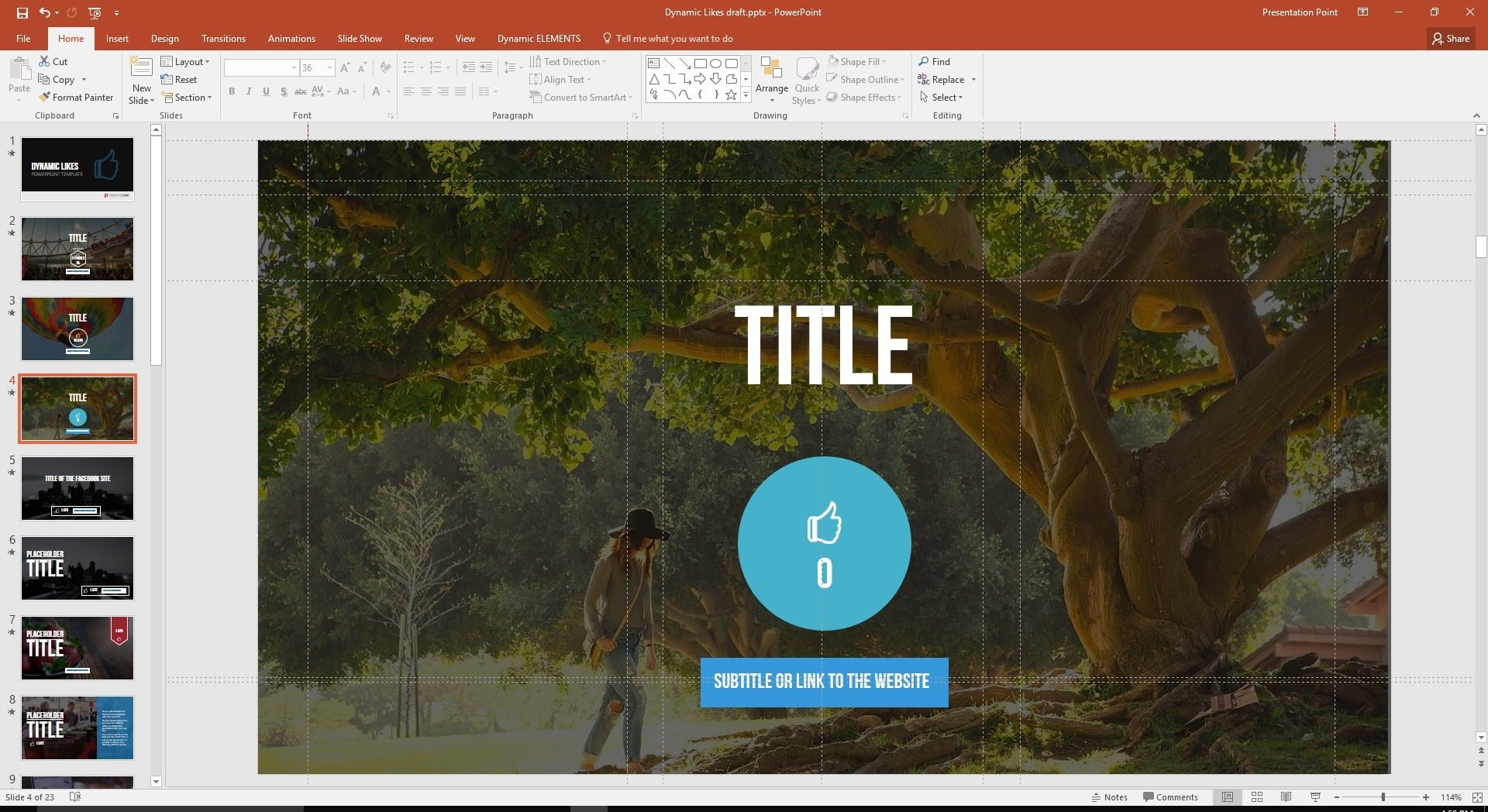
promote your facebook page using dynamic likes
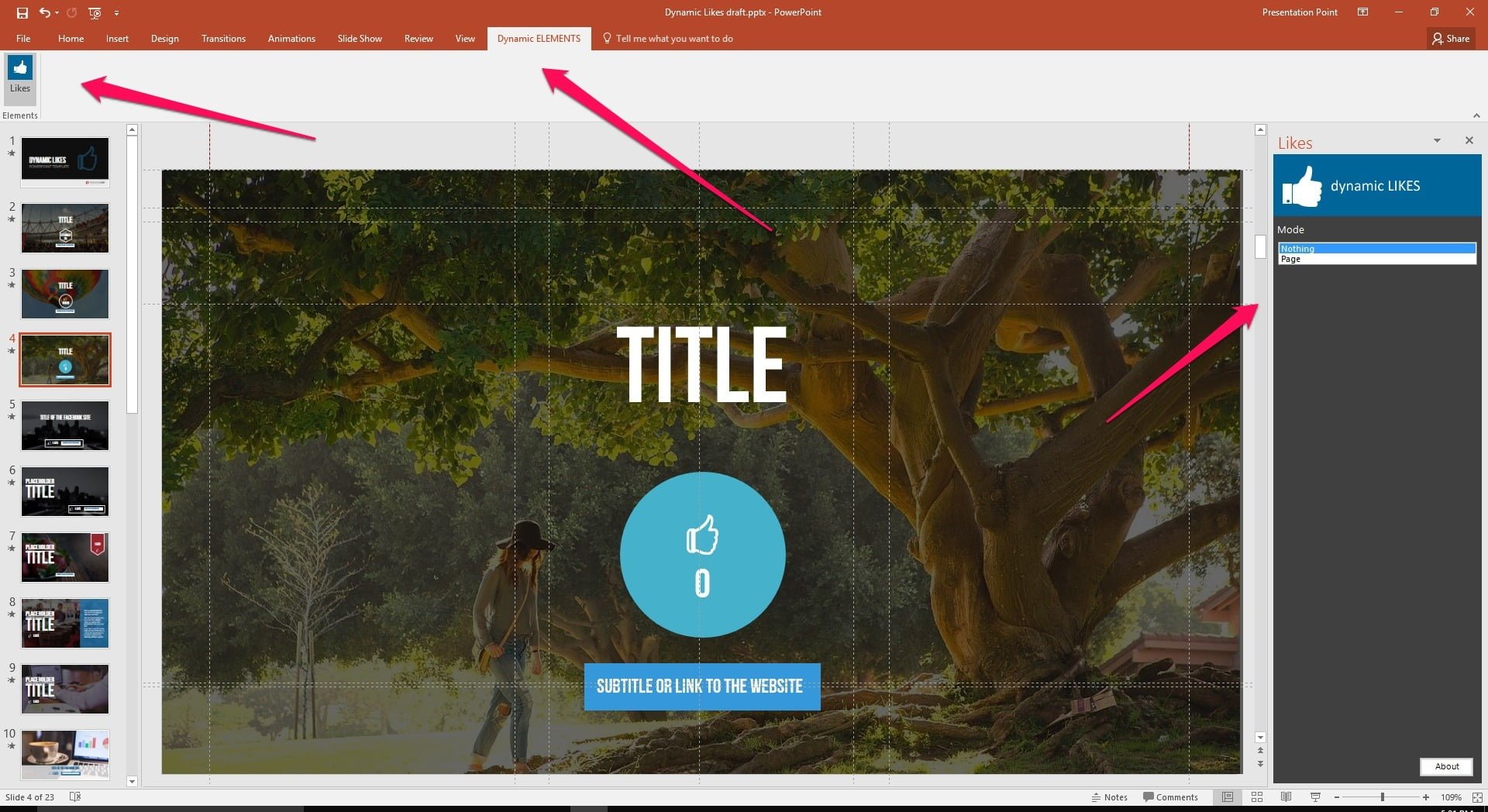
Once you have downloaded Dynamic Likes and the PowerPoint template, open the template and click on Dynamic Elements, then Likes to open the pane to connect the template to your Facebook Analytics.
open facebook connection page
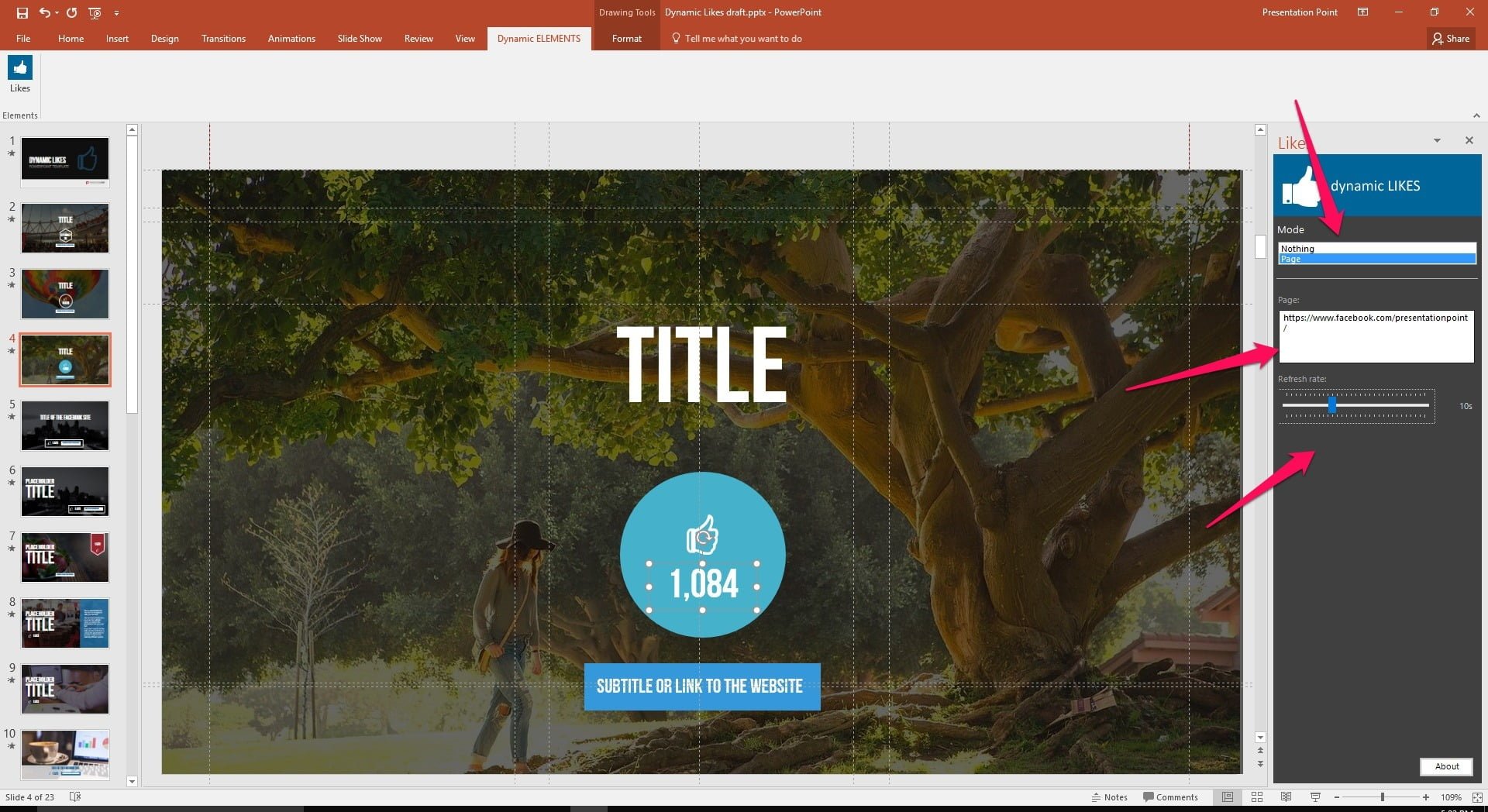
On the slide, select the text box where you want the total Likes to appear.
select a text box to host the number of likes
Then set mode to Page and enter the URL to promote your Facebook page.

Use the slider to set the refresh interval.
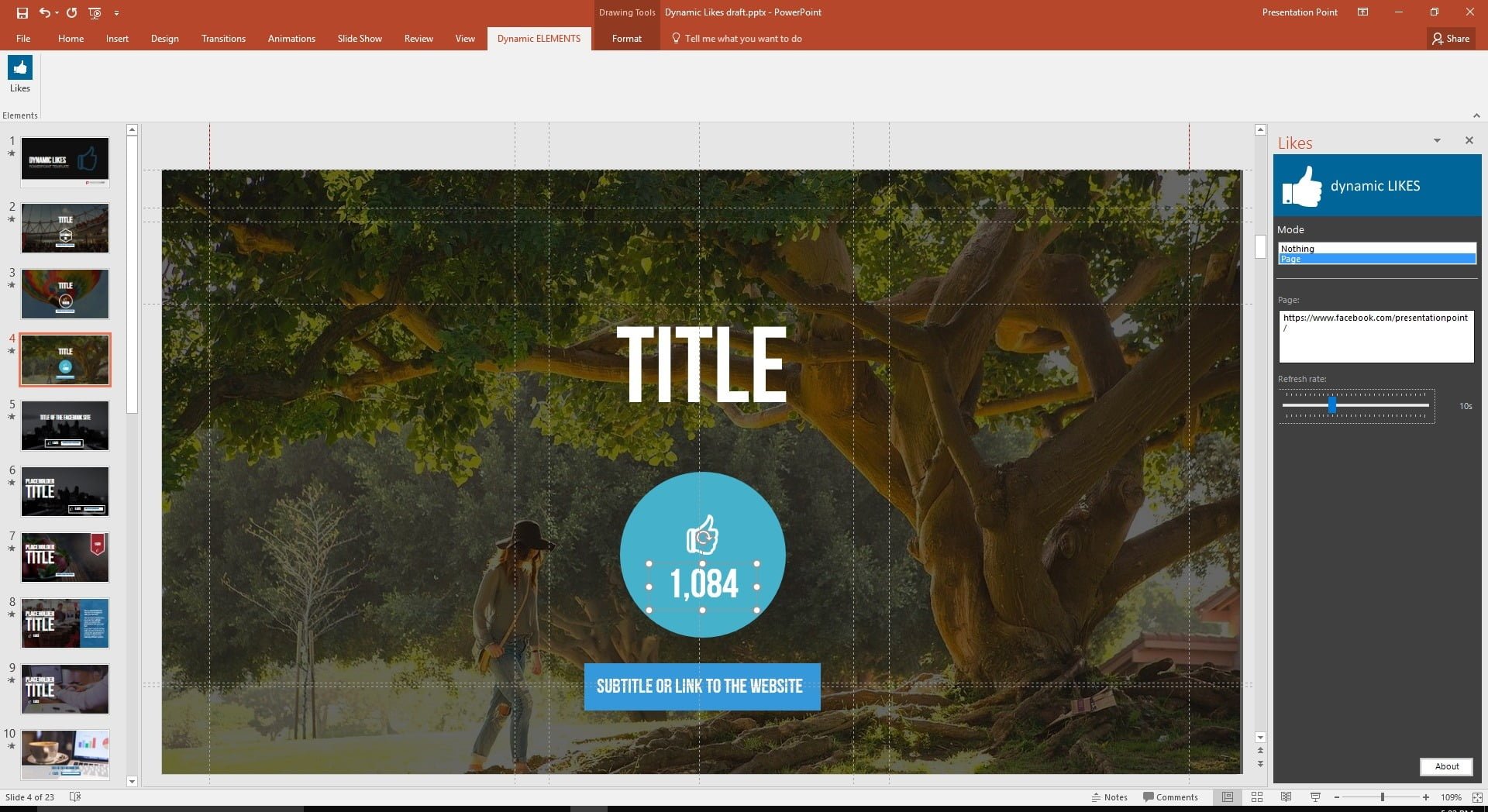
enter your facebook url
Start slide show and the slide will automatically update to show your total page likes.
run slideshow with real-time updates
So how does this help you promote your Facebook page?

You can show your Facebook Likes on any computer monitor or TV in your office or other facility and invite people to like your Facebook page. Most people have their smart phones with them so they can like your page on the spot.

This lets your visitors and passersby engage with your on Facebook instantly,  About 50% of Internet traffic is mobile (smart phones and tablets) so people are used to interacting with Facebook and web sites this way while they are out and about.

Here are some display places/ideas to promote your Facebook page:

  • waiting rooms of medical, business or government offices
  • lineup areas of banks and grocery stores
  • shopping malls
  • train and bus stations
  • airports
  • museums
  • universities and colleges
  • restaurants and lounges

You can add an incentive for people to Like your page by having people “Like” your page to enter a contest or sweepstakes. Make sure when you set up contests like this that you follow Facebook’s contest/sweepstakes rules.


Questions about Dynamic Likes or how it can be used? Please contact us.

Contact

Facebook Display on PowerPoint Slides

Live Twitter Feed for Business

Twitter Wall with PowerPoint

No More Copy & Paste

https://presentationpoint.com/wp-content/uploads/2023/04/Effortless-Data-Slides-Generation-website.mp4

Automated PowerPoint updates

https://presentationpoint.com/wp-content/uploads/2023/04/Automated-PowerPoint-Preentation-Updates-1.mp4
this tool saved us 100s of hours

Tags

automation communication comparison conference countdown dashboard dashboards data database data driven datapoint design digital signage display dynamic Excel free generate how to information screen information screens ipoint KPI kpi dashboard mail merge powerpoint presentation presentationpoint presentation summit real-time reporting school screen screens screensaver signage SignageTube slideshow slide show software template templates tips video weather

Submit a Comment

Your email address will not be published. Required fields are marked *

Celebrating 25 years of PresentationPoint

Subscribe To Our Newsletter

Join our mailing list to receive the latest news and updates from our team.

You can unsubscribe anytime. For more details, review our Privacy Policy.

Thank you!

You have successfully joined our subscriber list.

.

Recent Posts

  • Beyond Numbers: Telling Your Business Story with Compelling KPI Dashboards
  • Real-Time Scoreboards in PowerPoint: Boost Engagement with DataPoint Integration
  • Mastering Data Presentation: The Synergy of PowerPoint and DataPoint
  • Automated Data Reporting: Saving Time and Reducing Errors
  • How to Save Time Copying and Pasting Digital Information onto PowerPoint Presentations and Reports
  • Streamline Your Presentations: Creating Dynamic Dashboards with DataPoint in PowerPoint
  • From Hours to Minutes: DataPoint’s Game-Changing Approach to Automated Financial Reporting
  • Unlock Real-Time Insights: The Power of Live Dashboards for Your Business
  • Transform Your Presentations: Harness Live Data with DataPoint
  • From Slides to Documents: How DataPoint Transforms PowerPoint into a Document Maker

Follow Us

  • Facebook
  • YouTube
  • LinkedIn

Copyright Notice

BreakPoint, ConnectedCompany, CounterPoint, DataPoint, Dynamic ELEMENTS, iPoint, MessagePoint, NewsPoint, Numberish, OutlookPoint, PlanPoint, ShowPoint, SignageTube, Split-Flap TV, TickerPoint and VideoPoint are trademarks or registered trademarks of PresentationPoint. Microsoft and the Office logo are trademarks or registered trademarks of Microsoft Corporation in the United States and/or other countries.
  • Sitemap
  • Terms and Conditions
  • Privacy Policy
  • Facebook
  • Twitter
  • RSS
  • YouTube
  • LinkedIn

INSYNCR

We’ve Evolved Into Something Bigger

PresentationPoint has been acquired by INSYNCR, and we’re now powering next-generation solutions across multiple platforms. Your trusted partner has grown stronger, and we’re here to serve you better than ever.

INSYNCR

Automated reporting and data visualization solutions

SignageTube

Real-time digital signage solutions and display management

Split-Flap TV

Concept-specific digital signage solutions and display management

We are using cookies to give you the best experience on our website.

You can find out more about which cookies we are using or switch them off in .

PresentationPoint
Powered by  GDPR Cookie Compliance
Privacy Overview

This website uses cookies so that we can provide you with the best user experience possible. Cookie information is stored in your browser and performs functions such as recognising you when you return to our website and helping our team to understand which sections of the website you find most interesting and useful.

Strictly Necessary Cookies

Strictly Necessary Cookie should be enabled at all times so that we can save your preferences for cookie settings.